Facebook Page content copy and cleanup in one panel.
FPContentManager is a browser-side tool for copying posts live from one Facebook Page to another, optionally setting post dates to create chronology, and cleaning Page content after a destructive confirmation prompt.
Drag the yellow button to your bookmarks bar. If dragging is awkward in your browser, use the copy button below and paste the loader into a bookmark URL manually.
manifest URL: https://fpcontentmanager.pages.dev/fpcontent/latest/manifest.html
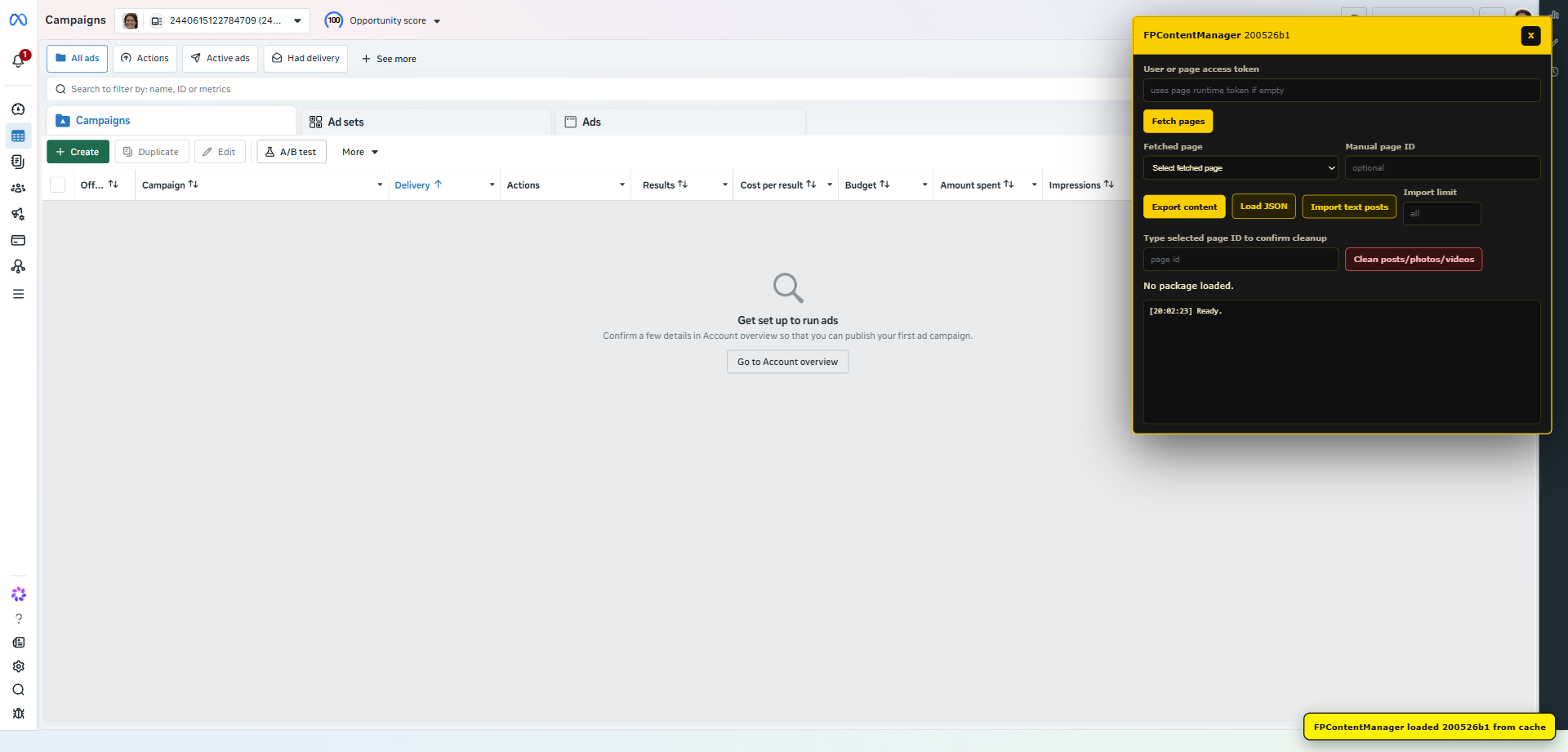
Loads manageable Facebook Pages automatically and lets you choose source and target Pages.
Copies selected recent posts directly from a source Page to the target Page without JSON export/import.
Optional date-setting creates a simple chronological timeline for copied posts.
Runs from a red destructive action and asks for browser confirmation before deleting Page posts, photos, videos, and reels.
Runs inside the current Facebook session and does not require a backend.
Keeps every page and content operation visible for verification.
The bookmarklet carries build metadata, verifies payload SHA-256, and caches the latest payload locally.